
Format a USB for rekordbox
on a Mac
Most guides tell you to format your rekordbox USB as FAT32. If you prepare your sticks on a Mac, that is the slow choice. Here is the right format, why the internet gets it wrong, and how to set it up in two minutes.
- Format
- Mac OS Extended(Journaled), aka HFS+
- Scheme
- Master Boot Recordnot GUID Partition Map
- Never
- APFSno CDJ can read it
- Time
- 2 minserases the stick
“Maximum compatibility” means Mac and PC, not CDJs
Search for how to format a rekordbox USB and nearly every answer says FAT32, for maximum compatibility. That is true, but it answers a different question: a FAT32 stick can be read and written by both Mac and Windows computers.
What most DJs hear is compatibility with CDJs. Every CDJ from the CDJ-2000 (2009) onwards reads Mac OS Extended. So if you only prepare your USBs on a Mac, FAT32 buys you nothing in the booth. It just makes every sync slower and caps each file at 4GB.
HFS+ syncs up to 2.9x faster than FAT32
We synced CRYME’s gig archive with rekordbox (38 playlists, 3,046 tracks, 105GB) from a MacBook Air M3, formatting the same stick three ways. Mac OS Extended won on every stick we tested.
Smaller library, same story: a 3.4GB, 42-track playlist took 8 seconds on HFS+ and 21 seconds on FAT32. Under 10 minutes for a full sync is an espresso and a cigarette. Over 20 minutes, don’t start it before a gig.
Best USB format for rekordbox: HFS+, exFAT, FAT32 or APFS
| Format | Speed | CDJs that read it | Use it if |
|---|---|---|---|
| Mac OS Extended (Journaled)aka HFS+ | Fastest | Every CDJ from 2009 | You prepare your USBs on a Mac. Most DJs. |
| exFAT | Medium | Newer players only: CDJ-3000 / 3000X, XDJ-AZ, XDJ-XZ, XDJ-RX3, OPUS-QUAD. Not any CDJ-2000. | You need Mac and Windows, and only play the newest gear. |
| FAT32aka MS-DOS (FAT) | Slowest | Every CDJ ever made | You prepare your USBs on Windows. 4GB file limit. |
| APFS | n/a | None | Never. It is the Mac default, and it won’t load in any club. |
How to format a USB for rekordbox on a Mac
- STEP 01
Open Disk Utility, plug in the stick
Press ⌘ Space, type “disk” and open Disk Utility.
Plug the stick in. It appears in the sidebar under External.
- STEP 02
Show all devices, pick the stick itself
Choose View › Show All Devices. Now click the top-level USB device in the sidebar, not the volume indented below it.
This is the step everyone misses. Only the device gives you the Scheme option in step 5.
- STEP 03
Click Erase
Click Erase in the toolbar at the top of the window.
This wipes everything on the stick. Copy off anything you need first.
- STEP 04
Format: Mac OS Extended (Journaled)
Open the Format menu and pick Mac OS Extended (Journaled).
Not APFS. It sits at the top of the list as the Mac default, and no CDJ can read it. It is the number one reason a stick “won’t work in the club”. Not the case-sensitive variant either.
- STEP 05
Scheme: Master Boot Record
Set Scheme to Master Boot Record, not GUID Partition Map.
AlphaTheta confirm the CDJ-3000X doesn’t support GUID. No Scheme menu? Go back to step 2 and select the device, not the volume.
- STEP 06
Name it and erase
Give the stick your DJ name, so it finds its way back to you at the end of the night.
Click Erase. It takes a few seconds, and you’re done.
Test before the gig
Sync a playlist in rekordbox and always eject the stick from rekordbox before you pull it out. If a brand new stick won’t load on a CDJ, it is almost always APFS or GUID: go back to steps 4 and 5.
On Windows? Mac OS Extended isn’t an option for you. Use FAT32 with MBR, which every CDJ reads, or exFAT if you only play newer players like the CDJ-3000. Never NTFS: no CDJ reads it. Same if you share one stick b2b with a Windows DJ.
We tested them so you don’t have to
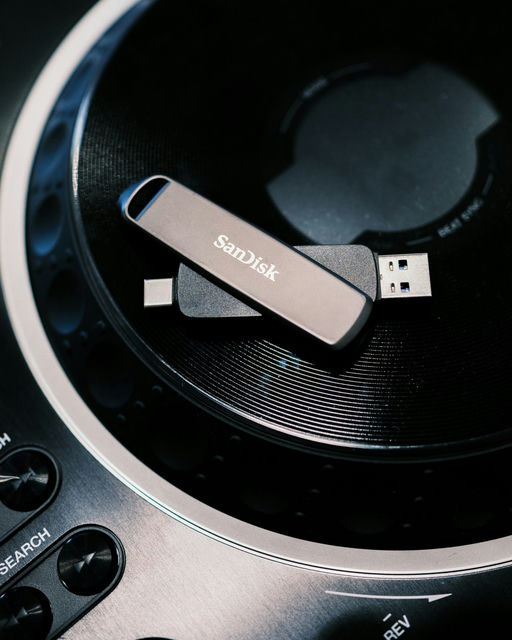
Manufacturers don’t tell you what memory chips are inside, and that is where the speed comes from. So we tested every stick before we stocked it. Times are rekordbox syncs on Mac OS Extended.
- 105GB library
- 5m 19s
- 3.4GB playlist
- 8s

- 105GB library
- 19m 17s
- 3.4GB playlist
- 24s
rekordbox USB format FAQ
What is the best USB format for rekordbox?
If you prepare your USBs on a Mac, Mac OS Extended (Journaled), also called HFS+, with the Master Boot Record scheme. It is the fastest format in our rekordbox tests, every CDJ since 2009 reads it, and it has no 4GB file size limit. If you prepare your USBs on Windows, use FAT32.
Isn’t FAT32 the best format for CDJs?
FAT32 is the one format every CDJ ever made can read, which is why guides recommend it. But the “maximum compatibility” they mean is between Mac and Windows computers. Every CDJ from 2009 onwards also reads Mac OS Extended (Journaled), which synced up to 2.9x faster in our tests and has no 4GB file size limit. If you only use a Mac, use Mac OS Extended.
My new stick won’t load on the CDJ. Why?
Almost always APFS. It is the default at the top of the Format list in Disk Utility, and no CDJ supports it. Reformat as Mac OS Extended (Journaled). If that doesn’t fix it, check the Scheme is Master Boot Record, not GUID Partition Map.
Can a Windows computer use a Mac OS Extended stick?
Not without extra software. That is the one trade-off. If you prepare USBs on Windows, or share a stick b2b with a Windows DJ, use FAT32 (every CDJ) or exFAT (newer players only, see below).
Does the CDJ-2000NXS2 read exFAT?
No. No CDJ-2000 reads exFAT, including the NXS2, which is still in a lot of booths. exFAT only works on newer players such as the CDJ-3000, CDJ-3000X, XDJ-AZ, XDJ-XZ, XDJ-RX3 and OPUS-QUAD. A Mac OS Extended or FAT32 stick works on both.
Can I use NTFS for rekordbox?
No. CDJs and XDJs do not read NTFS, the default Windows format for large drives. Use FAT32 on Windows, or Mac OS Extended (Journaled) on a Mac.
How do I format a USB for rekordbox on Windows?
Use FAT32 with the MBR scheme, which every CDJ reads. Windows’ built-in formatter will not create FAT32 on drives larger than 32GB, so bigger sticks need a free third-party FAT32 formatter. exFAT is built in, but only newer players read it.
Is Mac OS Extended prone to corruption?
Not in everyday DJ use. The real causes of broken sticks are physical damage, pulling the stick out without ejecting, and picking the wrong format. None of those are specific to Mac OS Extended.
Why are there two libraries on my stick after syncing?
rekordbox writes its newer Device Library Plus alongside the classic library by default. That is normal. If rekordbox offers to convert to Device Library Plus only, most DJs say no, so the stick still works on older CDJs.